Your brand on every credential
Certificates and badges carry your colors, fonts, and logo, from a template or your own design.
Thinkific integration
Issue a verifiable, branded credential the moment a student completes your Thinkific course. No exports, no manual sending.
No credit card required • Free for 25 recipients


Overview
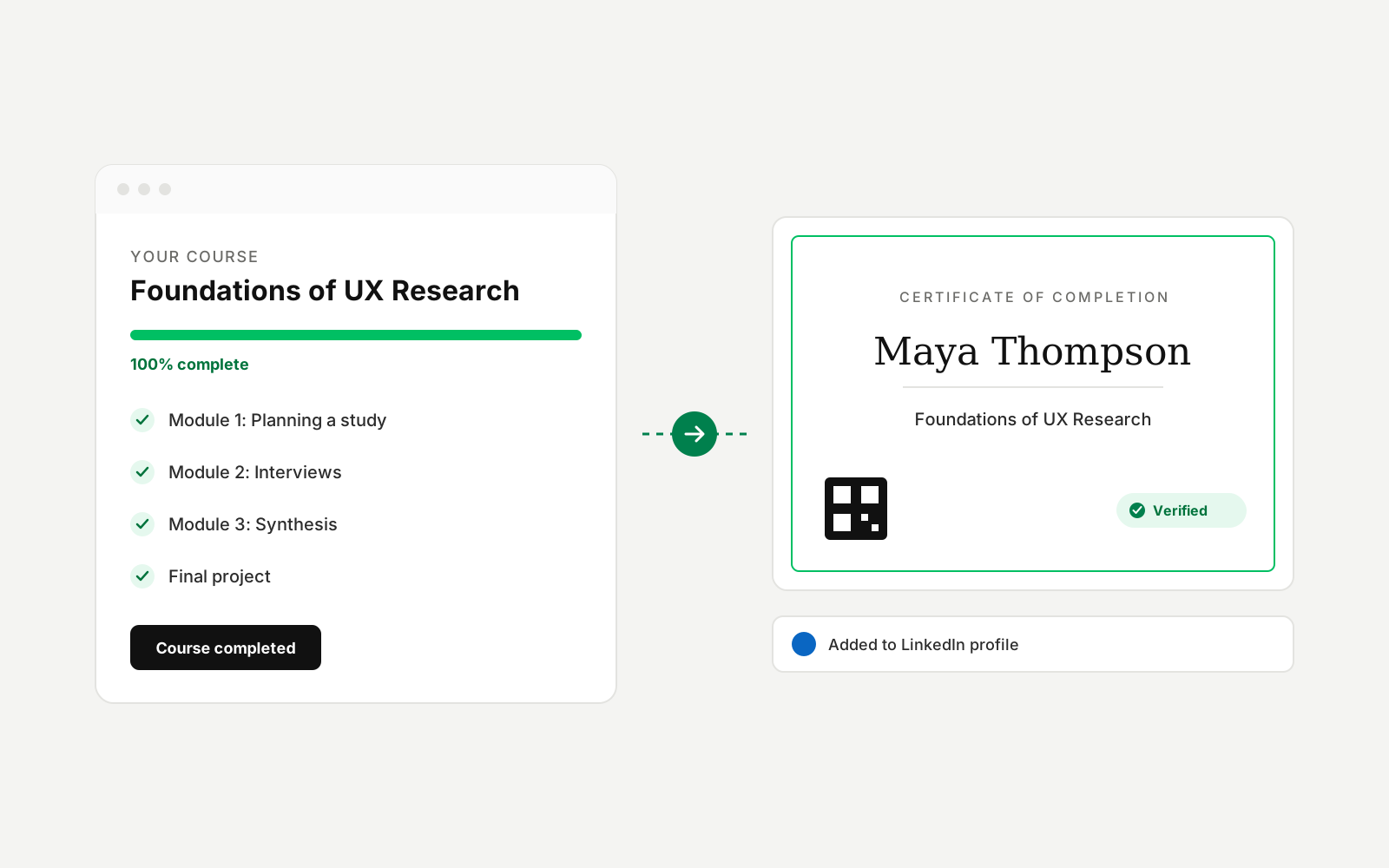
Install Sertifier from the Thinkific App Store, pick a course, and choose your certificate design. From then on, every student who completes the course receives a branded, verifiable credential by email, with their name and course details filled in automatically. Your team tracks opens, shares, and LinkedIn adds in one dashboard.
How it works
Add Sertifier from the Thinkific App Store. You are redirected to Sertifier and the connection shows as active.
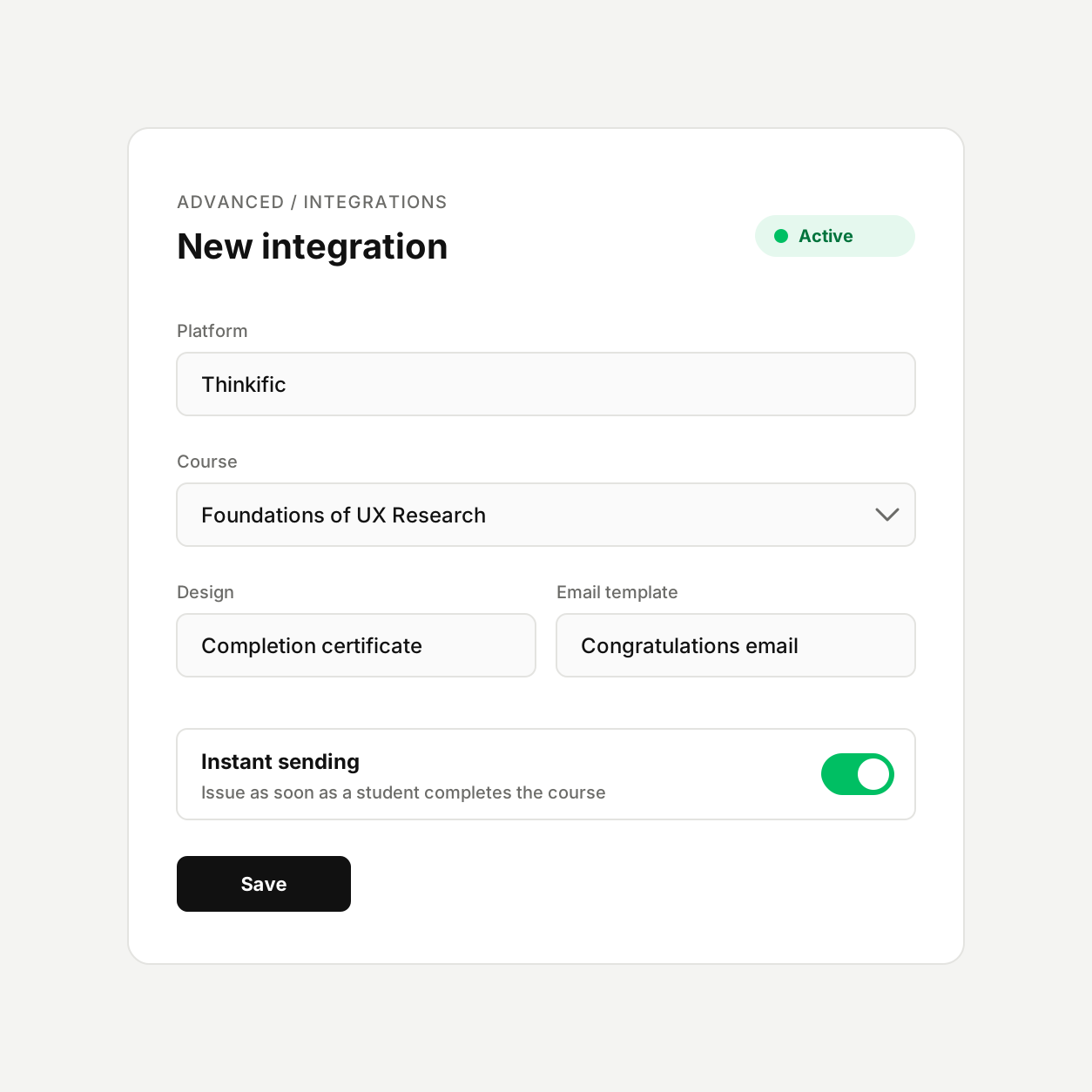
In Sertifier, create a new Thinkific integration and choose the course that should issue credentials.
Pick a certificate or badge design, set the credential details, and edit the email your students will receive.
Keep instant sending on. Students receive their credential as soon as they complete the course.
What you can do
Every completion issues a credential, without anyone exporting a student list or pressing send.
Give each course its own design, details, and email, so a flagship program and a mini course never look the same.
Instant sending is on by default. Switch it off when you want to review recipients before credentials go out.
Data mapping
Recipient details fill your credential design automatically, so nothing is typed twice.
| Thinkific | Sertifier |
|---|---|
| Student name | Recipient name |
| Student email | Recipient email |
| Course name | Course name on the credential |
| Company | Company attribute |
Why it matters
Course creators on Thinkific use certificates to give students a reason to finish and a reason to share. Each credential a graduate adds to LinkedIn carries your brand and links back to you, so completions turn into reach for your next launch.
 Course platforms
Add Sertifier to the completion step of a mini course and issue a credential when learners finish.
View integration Course platforms
Issue a credential through Zapier when a student completes a Kajabi assessment or makes a purchase.
View integration LMS
LMSAdd the Sertifier activity to a Moodle course and issue credentials on course completion or a passing grade.
View integrationSet up takes minutes, and your first 25 recipients are free.
FAQ