Multilingual digital credentials: localization and issuance QA

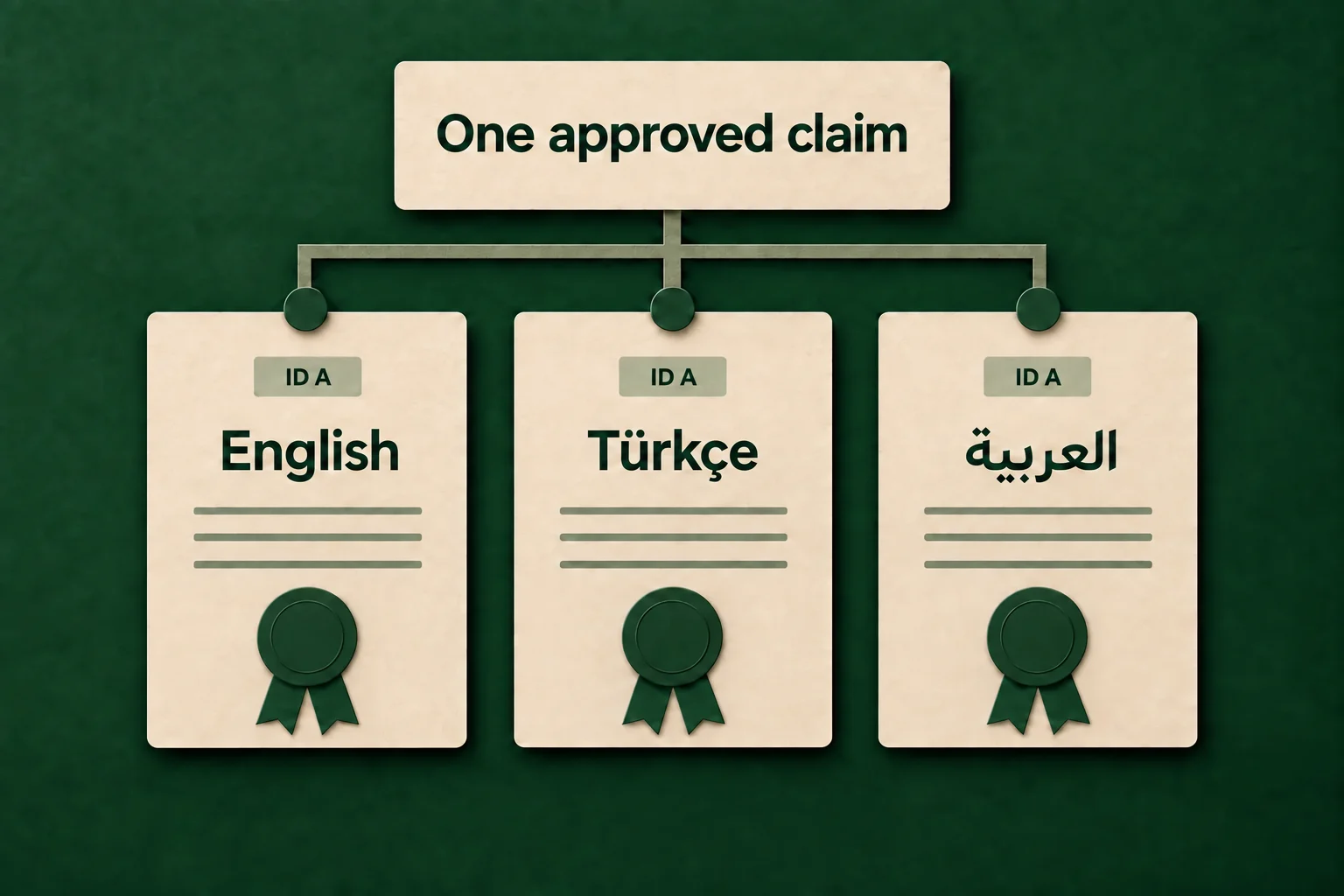
A multilingual digital credential should preserve one approved achievement claim while presenting the human-readable parts in the language and direction the recipient and verifier need. Translation must not create a different credential title, criterion, result or validity rule by accident.
The safest operating model separates stable identifiers and machine-readable facts from translated natural-language fields. It then treats every language as a tested release variant with a named owner, fallback rule and verification check.
Short answer: Preserve one approved achievement claim across every language. Separate stable identifiers and machine-readable facts from translated natural-language fields, then test each locale as a governed release variant.
Short answer
Use this eight-step process:
- Define the one claim that must remain equivalent in every language.
- Separate stable data from natural-language content.
- Record the language and, where needed, text direction for each translated value.
- Translate meaning and terminology, not only visible words.
- Keep dates, identifiers, status and verification behavior consistent.
- Test the credential, email and verification page in every supported locale.
- Require a bilingual or subject-matter review for high-impact fields.
- Version the source and translations so corrections are traceable.
This is a content-governance and quality-assurance workflow. It is not a claim that every credential platform supports every language, field or standard in the same way.
Start with one language-neutral claim
Write the approved achievement in its source language before creating a translation. The source record should answer:
- Who is the issuer?
- Who is the credential about?
- What achievement, skill or qualification is being asserted?
- Which criteria and evidence support it?
- When was it issued, and when does it expire if applicable?
- How can a verifier check status and authenticity?
The verification-ready credential structure explains the role of those fields. Localization begins after the source claim and its owners are clear.
Do not let a translator infer missing policy. If the English source says “completed the course” while another locale says “certified to perform the work,” the second version may imply an authorization that the issuer never approved.
Separate stable facts from localized content
Not every field should be handled in the same way.
| Field group | Typical examples | Localization rule | Main failure to prevent |
|---|---|---|---|
| Stable identifiers | Credential ID, issuer ID, recipient ID, verification URL | Keep the same underlying value | Separate records appear to represent the same credential |
| Dates and status | Issue date, expiry date, revoked or active status | Keep the fact stable; localize only display format when supported | Different locales show different validity |
| Controlled terms | Country, language, credential type, skill taxonomy | Use the applicable controlled vocabulary and code | Free-text translations lose machine-readable meaning |
| Natural-language claim | Title, description, criteria, evidence explanation | Translate under an approved terminology and equivalence rule | Translation changes the scope of the achievement |
| Presentation | Layout, font, line breaks, direction, email copy | Adapt to locale while keeping the claim and primary action intact | Text is clipped, reversed or misleading |
The W3C Verifiable Credentials Data Model v2.0 describes language and base-direction metadata for natural-language values. The 1EdTech Open Badges implementation guide uses inLanguage for the language of an achievement. These standards do not replace editorial review. They make language intent more explicit to systems that exchange and display credential data.
Create a field-level translation contract
Give the translator and reviewer a table that defines what may change.
| Field | Source owner | May translate? | May adapt? | Review evidence |
|---|---|---|---|---|
| Credential title | Program owner | Yes | Only within the approved term list | Source and translated titles compared |
| Description | Program owner | Yes | Plain-language adaptation allowed | Meaning review completed |
| Earning criteria | Assessment owner | Yes | No new requirement or omission | Criterion-by-criterion check |
| Skill names | Taxonomy owner | If the taxonomy provides a label | Do not invent an alignment | Code and localized label retained |
| Issuer legal name | Organization owner | Only when an approved legal form exists | No marketing rewrite | Official-name evidence |
| Recipient name | Recipient record owner | No translation | Approved script or transliteration rule only | Identity check |
| Verification URL | Credential system | No | None | Same destination and record ID |
| Support instructions | Support owner | Yes | Channel may vary by region if approved | Tested route and response owner |
A glossary should include the source term, approved translation, prohibited alternatives, definition and owner. This is especially important for words such as certified, accredited, licensed, completed and participated because their legal or professional meaning can differ.
Handle language and text direction explicitly
Right-to-left languages require more than right-aligning a paragraph. The credential may contain bidirectional content such as a Latin-script URL inside Arabic text, a numeric identifier, dates and organization names.
Test:
- language and direction metadata on natural-language values;
- reading order for headings, labels, values and actions;
- punctuation and number placement in mixed-direction text;
- font coverage for every character used;
- line wrapping in long titles, names and criteria;
- QR code, credential ID and URL isolation from surrounding text;
- keyboard focus order and screen-reader labels on the verification page.
Do not convert essential text into an image to avoid layout problems. A machine-readable, selectable text layer is more useful for accessibility, search and exchange.
Keep one source of truth and version every translation
Treat each locale as a dependent version of the approved source, not an independent credential definition.
Record:
- source credential definition and version;
- language code for each translation;
- translator and reviewer roles;
- approval timestamp;
- glossary version;
- fields changed since the previous release;
- credentials or campaigns affected by the change;
- correction and reissue rule.
When the source criteria change, mark every translation for review. A translation should not silently inherit a changed source field without an equivalence check.
The credentialing automation workflow can carry a recipient locale as an input, but the automation should select only an approved language version. It should fail safely when the locale is missing, unsupported or ambiguous.
Define a safe fallback rule
Fallback behavior must be decided before issuance.
Possible rules include:
- use the program’s approved primary language;
- require the operator to resolve an unsupported locale before release;
- send primary-language content with a clearly labeled support route;
- suppress localized presentation while preserving the underlying credential.
Never guess a recipient’s preferred language from their name, country or email domain. Store the selected locale only when the program has a legitimate and documented source for it.
Test the complete recipient and verifier journey
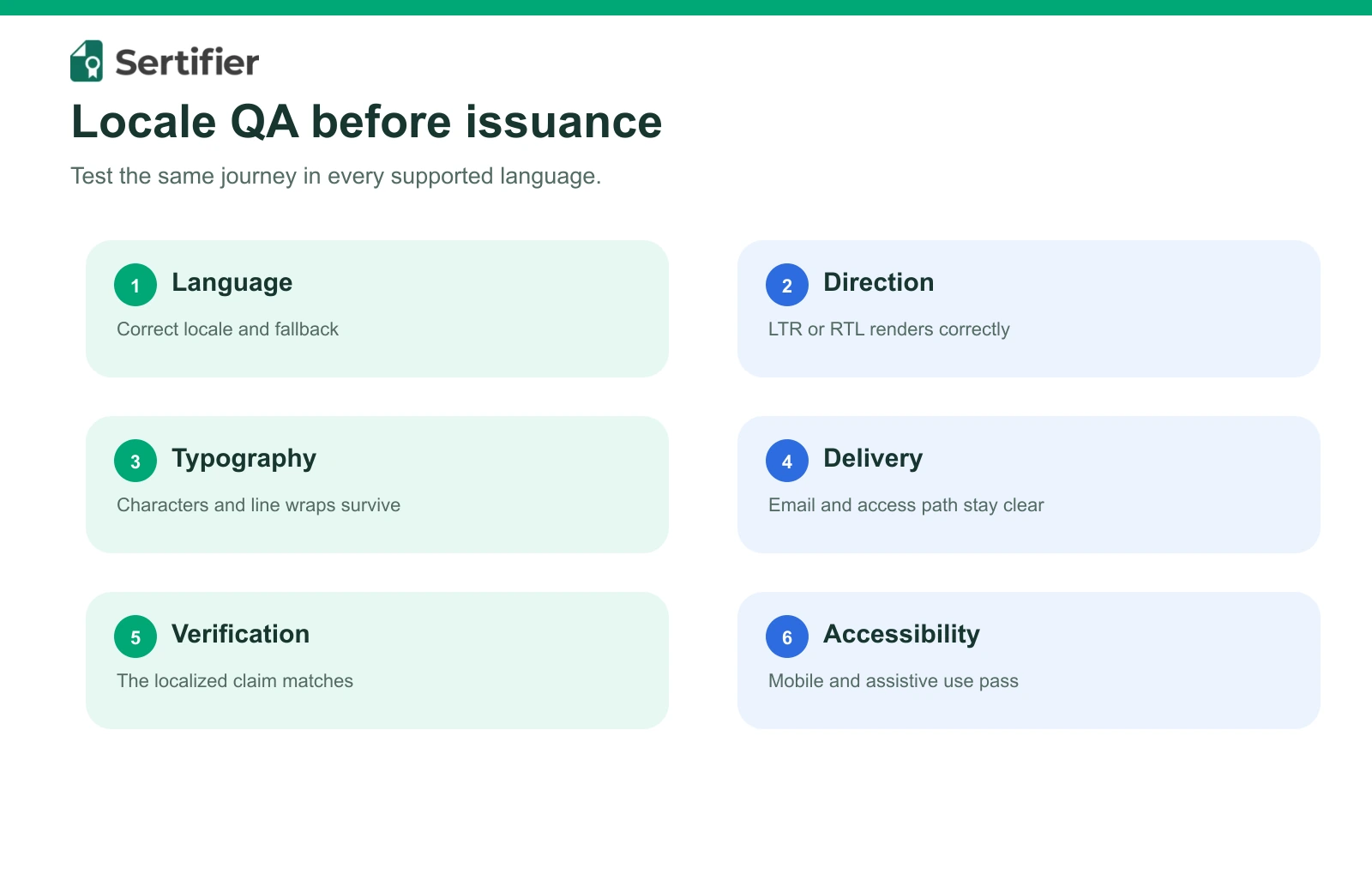
A translated certificate preview is not enough. Test the connected surfaces.
| Surface | What to verify | Blocking failure |
|---|---|---|
| Credential image or PDF | Complete text, font coverage, line breaks, names, dates and QR code | Clipped, substituted or unreadable claim |
| Notification email | Subject, sender, credential title, primary action and support text | Mixed language or broken destination |
| Credential page | Language, direction, claim, issuer, status and evidence | Page changes or hides the underlying meaning |
| Verification result | Same record, identifier, status and issuer in every locale | Locale changes authenticity or validity result |
| Sharing preview | Correct title, description and image where supported | Stale or wrong-language preview misstates the claim |
| Mobile view | 390-pixel layout, long words, buttons and tables | Horizontal overflow or inaccessible action |
| Assistive technology | Heading order, labels, alt text and focus | Essential meaning available only visually |
Use synthetic test recipients and non-production claims. Do not put customer or learner data in screenshots or public QA records.
Understand the Europass distinction
The European Commission says European Digital Credentials for Learning can be issued in Europass languages. Its issuer guidance also distinguishes language-independent or controlled-vocabulary values from other fields for which the issuer must supply translated content.
Sertifier’s current Europass guidance documents how an enabled organization can generate a European Digital Credential for Learning from an issued Sertifier credential. Evaluate that documented route separately from any broader requirement for native translation management, localized emails or locale-specific presentation. Ask the vendor to demonstrate the exact languages, fields and surfaces in scope.
Evaluate a credential platform with a live locale test
Use your own approved sample definition and ask each vendor to demonstrate:
- Where source and translated values are stored.
- How language and direction are represented in exported data.
- How recipient locale selects a credential and email version.
- What happens when a translation is missing.
- Whether verification status remains identical across locales.
- How corrections, expiry and revocation propagate.
- Which data survives standards-based export and wallet display.
- How long titles, right-to-left content and mobile layouts behave.
- Which roles may edit, approve and publish translations.
- What audit evidence records the released version.
The result should be a field-by-field acceptance record, not a general claim that the platform is multilingual.
Use this pre-issuance QA checklist
- The source claim and credential version are approved.
- Every localized field has a language code and owner.
- The glossary and prohibited terms are current.
- Criteria and evidence retain equivalent meaning.
- Stable identifiers, dates, status and verification URLs match.
- Right-to-left and mixed-direction content is tested where applicable.
- Credential, email, verification page and sharing preview are checked.
- Mobile and assistive-technology checks pass.
- Missing-locale and fallback behavior is tested.
- Correction, reissue, expiry and revocation rules are documented.
- Test evidence contains no personal or customer data.
Plan an international credential workflow
Bring the languages, fields, standards, verification surfaces and fallback rules your program needs, then test them against one acceptance checklist.
Frequently asked questions
Is translating the certificate image enough?
No. The image is only one presentation. The natural-language credential data, notification, verification page, sharing preview and accessibility layer may also need language-aware handling.
Should identifiers and dates be translated?
The underlying identifier and date should remain stable. A user interface may localize how a date is displayed, but it must not change the fact represented by the credential.
Can one credential contain multiple languages?
Some standards and ecosystems support language-tagged values or multilingual credentials. Confirm the exact implementation, exchange format, wallet and verification behavior rather than assuming every surface will preserve every translation.
How should a team choose a fallback language?
Choose an approved program rule based on a documented locale source. Do not infer language from identity attributes. If using a fallback could misstate a high-impact claim, block issuance and require operator review.
How can Sertifier support an international credential program?
Start with the fields, languages, standards, verification surfaces and fallback rules your program requires. Then ask for a live demonstration against that acceptance checklist. Request a demo to review the intended workflow with Sertifier’s team.