Certificate template testing: check long names and changing data before issuance

A certificate template is not finished when one example looks correct. Test it with different recipient values before sending a cohort. The goal is to preserve the approved name and achievement while keeping the rendered result readable.
Short answer: Test variable data in the final output and stop on clipping, overlap or unreadably small text.
Short answer
Create synthetic test records that exercise long names, long course titles, missing optional fields and the characters your program expects. Review the generated output, not only the empty template. Resolve clipping, overlap and unreadably small text before using real recipient records.
Separate fixed text from recipient attributes
Sertifier’s certificate design guide distinguishes fixed text from attributes such as recipient name and credential ID. That distinction determines the test: fixed wording can be reviewed once for an unchanged design, while variable fields need representative values.
Record which field supplies each text box. A well-positioned box containing the wrong attribute is still a failed certificate. Check the rendered name and achievement against the intended synthetic source record.
Build a synthetic test set
Use fictional labels, not real learner records. Keep the test set separate from a live campaign and avoid accidental notifications. The cases below are a proposed QA method, not a product requirement or a complete accessibility test.
| Case | What it tests | Stop when |
|---|---|---|
| Short display value | Alignment and visual balance | Position changes unpredictably |
| Long spaced value | Wrapping and vertical clearance | Text collides with the next element |
| Long unbroken value | Width and fitting behavior | Text is clipped or unreadable |
| Expected accented characters | Font coverage | A character is missing or substituted |
| Long course title | Interaction between adjacent fields | The claim crosses a name or signature area |
| Empty optional field | Unused labels and spacing | A placeholder or misleading label remains |
Choose test values from the field rules your program supports. Do not turn a convenient example length into an undocumented maximum-name rule. If a legitimate value cannot fit, change the design or route it for review rather than silently abbreviating the recipient’s name.
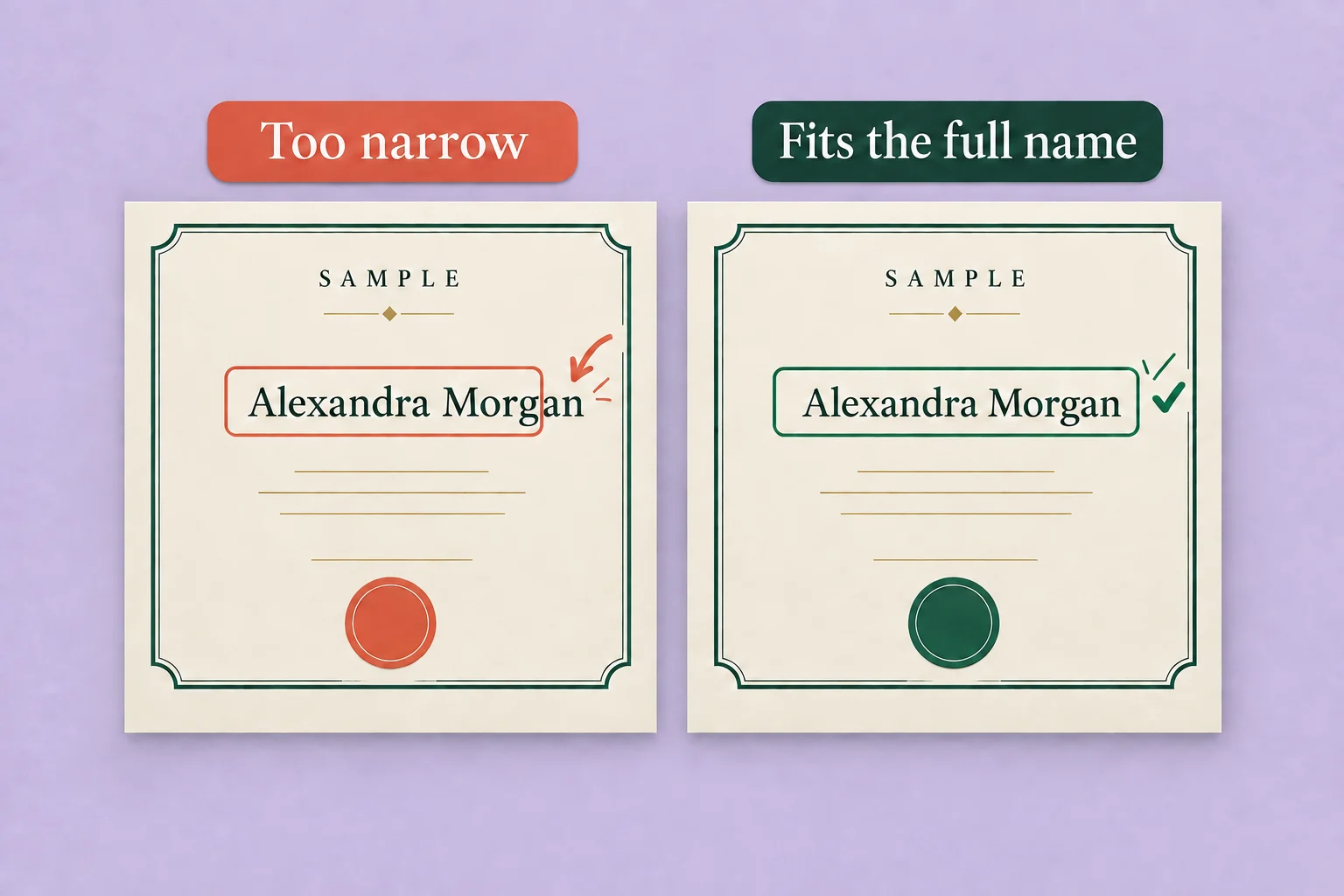
Choose fitting behavior deliberately
Sertifier’s recipient name documentation describes shrink-to-fit and wrapping options. Shrinking changes text size to fit the box. Wrapping uses additional vertical space. The documentation recommends checking a long example for overlap when wrapping.
Treat either option as something to test in the final layout. A string can fit geometrically and still be too small to read comfortably. Widening the permitted area or adjusting the surrounding layout may be better than accepting extreme shrinkage.
Inspect the output people will use
Review the actual rendered certificate and each supported output used by your program. A designer preview is useful, but it is not evidence that every downstream representation has been inspected.
| Surface | Review question |
|---|---|
| Designer preview | Are the intended attributes connected to the intended boxes? |
| Generated credential | Are the approved values complete and readable? |
| Downloaded output, if used | Did rendering preserve spacing and characters? |
| Recipient’s expected viewing size | Can the important claim be read without an impractical enlargement? |
Record the design revision and test values alongside the result. If a font, text box, dynamic field or output setting changes, repeat the affected cases. Do not infer that an earlier screenshot proves a later revision works.
Keep localization and accessibility reviews separate
This test checks how variable data fits a template. It does not prove that a translation is accurate or that the verification journey meets an accessibility standard. For language, direction and semantic-equivalence decisions, use the multilingual credential QA guide.
Keep readable text and accurate identity ahead of a rigid layout. If a case cannot pass, document the exception and revise the design before widening the batch.
Review the name fitting controls
Read the documented fitting options, then verify the selected behavior with synthetic records.
Frequently asked questions
Is a single attractive sample enough?
No. It demonstrates one set of values. It does not test the different values that a cohort may introduce.
Should I shorten a recipient name to make it fit?
Do not silently change an approved identity value to satisfy the template. Review the available space, fitting behavior and program-approved exception process first.
Where can I check Sertifier’s name fitting options?
Use the current recipient name and overflow guidance, then test the selected behavior with synthetic records in your authorized environment.