Employee certification tracking: records and renewals
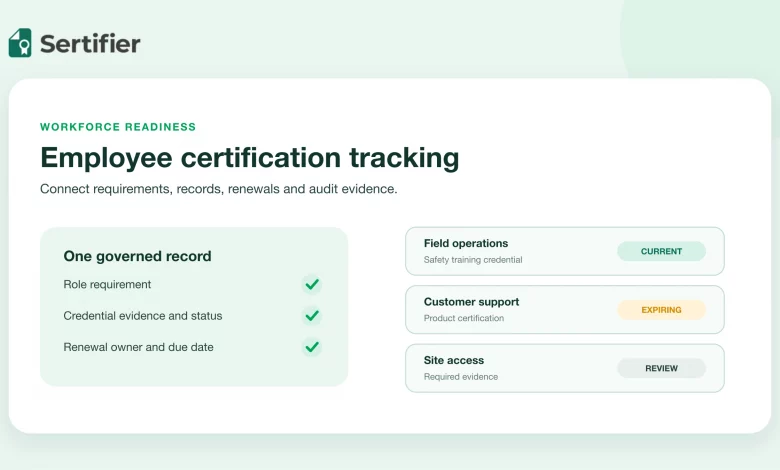
Employee certification tracking is the operating process for knowing which credentials each employee holds, which requirements apply to their role, when those credentials expire and who owns the next action. A useful system does more than store certificate files. It connects requirements, evidence, current status, renewal work and a dated audit trail.
The exact legal record depends on the credential, jurisdiction, role and industry. Start with the governing source for each requirement. Then design one repeatable workflow that keeps the operational record current without treating every certificate as if it had the same rules.
Short answer: Track the employee and role requirement separately from the credential, then connect evidence, current status, renewal ownership and a dated audit history.
Short answer
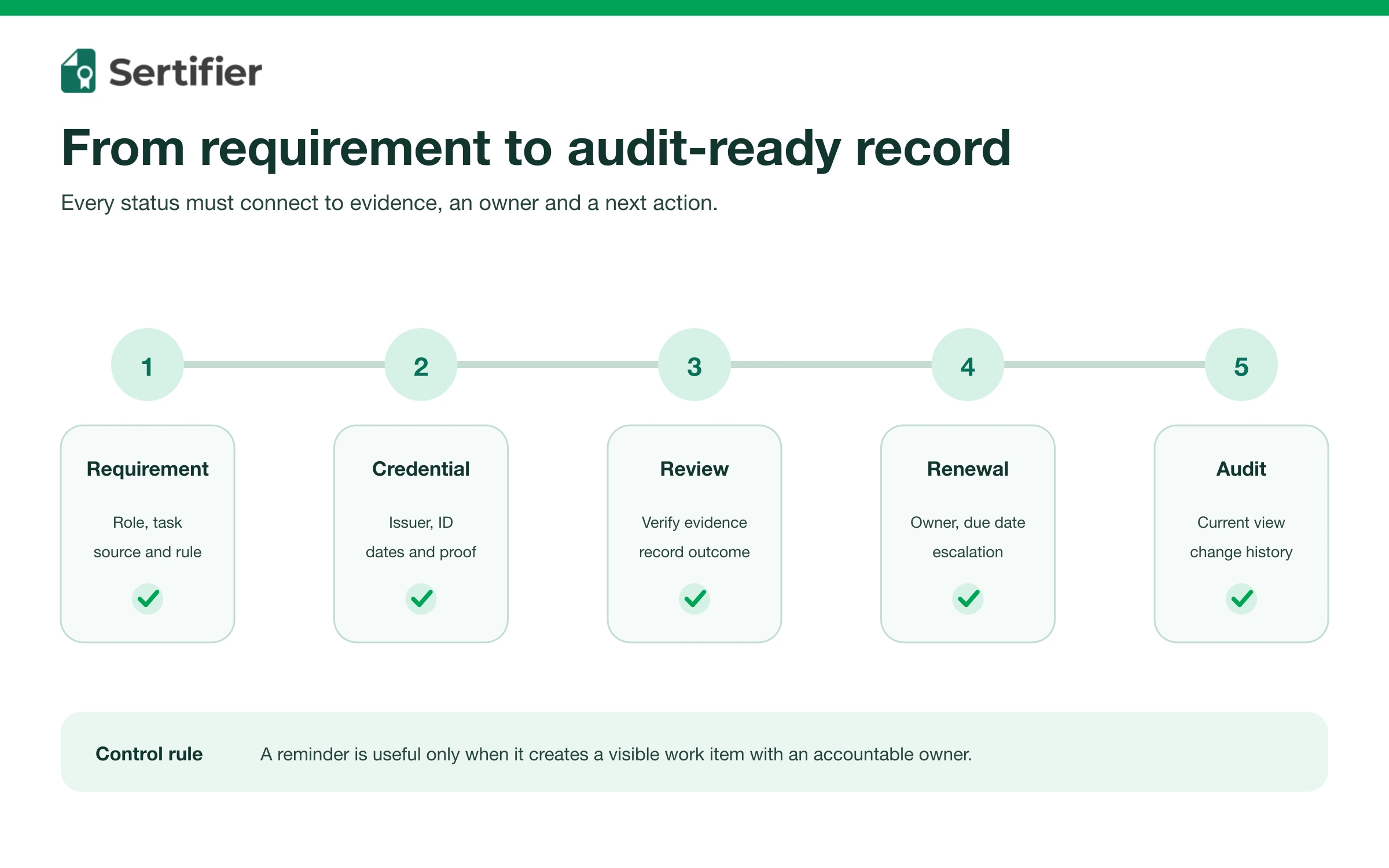
A practical employee certification tracker needs six connected records:
- The employee and their current role, team and location.
- The certification requirement that applies to that assignment.
- The issuing organization and credential identifier.
- The evidence, issue date, expiration date and current status.
- The renewal owner, lead time and escalation path.
- The history of who reviewed or changed the record and when.
This structure lets HR, learning, compliance and operations answer three different questions: Who is currently qualified? What will expire soon? Can we show the evidence and decision history behind that answer?
Separate requirements from credentials
A requirement is not the same thing as an employee’s credential. The requirement describes what a role, site, customer contract or regulation expects. The credential is evidence that one person met a defined condition.
Keep these as separate records so a policy change does not silently rewrite the history of credentials that were issued under an earlier rule.
Requirement record
For each requirement, document:
- Requirement name and source.
- Roles, teams, sites or tasks to which it applies.
- Accepted issuers or credential types.
- Initial training, assessment or experience conditions.
- Validity period and renewal rule, when one exists.
- Evidence that must be retained.
- Owner responsible for interpreting changes.
Employee credential record
For each held credential, document:
- Employee identifier and current assignment.
- Credential name, issuer and credential ID.
- Issue date, expiration date and status.
- Verification URL or approved evidence file.
- Date and method of the last verification.
- Reviewer and review outcome.
- Renewal owner and next action date.
Do not collect fields merely because the source document contains them. Keep only the personal and credential data needed for the operational purpose, and apply the organization’s retention and access rules.
Use the governing source, not a generic checklist
Record requirements are not universal. For example, the US Occupational Safety and Health Administration’s fall protection training rule requires a written certification record containing the trained employee’s identity, training date and the trainer’s or employer’s signature. It also says the latest training certification must be maintained. That is a specific example under OSHA 1926.503, not a template for every profession or jurisdiction.
Build a requirement register that links each tracked certification to its authoritative source, contract or internal policy. When the source changes, record the effective date and decide which employees or historical records are affected. Ask the responsible legal, safety or compliance owner to interpret uncertain obligations.
Example: an OSHA Outreach card in a workforce tracker
In the United States, an OSHA Outreach course completion card records completion of the relevant Outreach course. OSHA says the program is not a certification and does not replace the training employers must provide under specific OSHA standards. Record its actual scope instead of labeling the employee “OSHA certified.” See the OSHA Outreach program overview.
For your tracker, keep the course evidence and the employer’s assignment review as separate records. The following is an example of an internal review workflow, not an OSHA-prescribed record format.
| Record | What to check | Next action |
|---|---|---|
| Outreach course evidence | Recipient, course, completion date and issuing training source | Record the evidence and any unresolved verification question |
| Job-specific training requirement | The applicable standard and the training evidence required for this assignment | Route missing evidence to the responsible safety or training owner |
| Assignment review | The employer’s approved requirements and decision process | Record who reviewed the assignment and when; do not infer permission from the card alone |
OSHA does not provide individual verification of Outreach student cards. Its Outreach FAQ explains the verification boundaries. An unavailable verification result should remain an open review item, rather than automatically becoming a valid or fraudulent credential.
Map certification status to work decisions
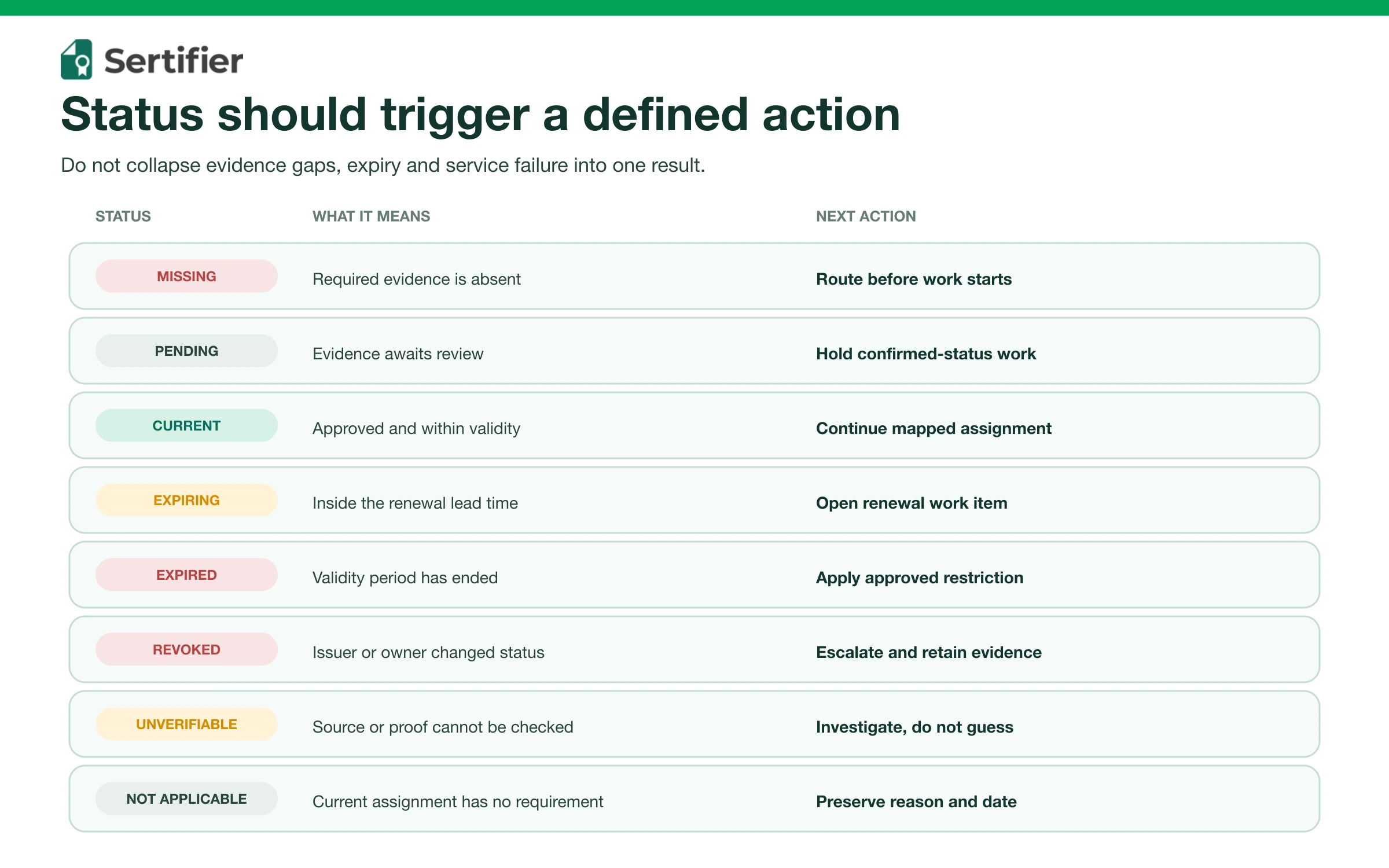
A useful tracker distinguishes states that require different actions.
| Status | Meaning | Operational action |
|---|---|---|
| Required, not supplied | The assignment requires evidence, but no approved record exists | Route to the employee and manager before the work starts |
| Pending review | Evidence was submitted but has not been accepted | Keep the employee out of work that requires confirmed status |
| Current | Evidence passed the defined checks and remains within its validity period | Allow the mapped assignment, subject to other requirements |
| Expiring | The credential is still current but inside the renewal lead time | Start renewal and track the owner and due date |
| Expired | The validity period has ended | Apply the documented work restriction or exception process |
| Suspended or revoked | The issuer or authorized owner changed the credential’s status | Escalate immediately and retain the status evidence |
| Unverifiable | The source is unavailable or the evidence cannot be confirmed | Investigate rather than treating the credential as valid or fraudulent |
| Not applicable | The employee’s present assignment does not require it | Preserve the reason and effective date if needed for audit history |
The status label should never make a staffing decision by itself. Link each state to an approved policy that says who can decide, whether work is restricted and how exceptions are documented.
Build a renewal workflow with named owners
Start renewal early enough to complete training, assessment, approval and record review before the current credential expires. A single universal reminder interval is rarely enough because lead times differ.
Set the renewal rule
For every requirement, define:
- The renewal trigger, such as an expiration date, elapsed validity period or policy review date.
- The normal lead time needed to book and complete the renewal.
- The employee, manager and program owner responsible at each stage.
- Escalation points for missing evidence, failed assessment or late approval.
- The work decision when the renewal is not complete on time.
Keep reminders tied to a queue
An email is not a tracking system. Every reminder should correspond to a visible work item with an owner, due date, state and completion evidence. The queue should make it possible to filter by team, location, requirement, expiration window and responsible person.
Sertifier’s current help documentation says credential programs can configure fixed or recipient-specific expiration dates and up to three automated expiry reminders. It also documents an Expiry Reminders view for credentials nearing their expiration date. Review the current expiration-date workflow and expiry reminders against your own requirement and escalation rules before relying on them.
Verify evidence before marking a record current
Define the minimum checks for each credential type. Depending on the source and risk, the review may include:
- Issuer identity and approved issuing authority.
- Credential ID or stable verification URL.
- Employee identity or another permitted binding method.
- Credential title, criteria and scope.
- Issue date, expiration date and current status.
- Evidence integrity and signs of alteration.
- Restrictions, endorsements or location limits.
- Reviewer, review date and result.
A PDF or image can be useful evidence, but it does not automatically show current issuer status. Prefer a live verification source when the issuer provides one, and record when the check occurred. For a broader explanation of issuer, criteria, evidence and status, use Sertifier’s digital credential verification field guide. Technical teams comparing hosted, private API and proof-verification delivery patterns can also use the credential verification API workflow.
Prepare an audit view and an operational view
The same underlying records can serve different jobs, but the screens and exports should not be identical.
Operational view
Managers need an action list. Show credentials that are missing, pending, expiring or expired, grouped by the person responsible for the next step. Make the source requirement and work consequence visible without exposing unrelated employee data.
Audit view
An auditor or internal reviewer may need the requirement source, employee, credential, current status, evidence reference, verification date and change history. Generate this view from the governed record rather than assembling it manually from inboxes and folders at the time of the review.
Sertifier’s current credential reports documentation describes issued-credential records with recipient, campaign, credential status, credential ID, credential-page URL and send date, plus filtering and export. Those fields can support issued-credential operations. An employer tracking third-party certifications may still need a separate system of record for role requirements, external evidence and employment decisions.
Decide where each record should live
Do not force one product to become the owner of every field. Assign systems by their actual responsibility.
| Record | Likely owner | Integration need |
|---|---|---|
| Employee, manager, role and location | HRIS | Send current assignment changes |
| Course enrollment and completion | LMS | Send learning completion evidence |
| Issued digital credential and status | Credential platform or issuer | Send credential ID, verification URL and lifecycle status |
| External license or certification evidence | Compliance or workforce record system | Store approved evidence and review result |
| Renewal work item | Workflow or case-management system | Assign owner, due date and escalation |
| Policy and requirement source | Compliance register | Version requirement and effective date |
If an LMS is part of the workflow, keep course completion and credential evidence distinct. The article on LMS certification workflows explains the learning-system side, while this tracker governs workforce status and renewal operations.
Implementation checklist
1. Inventory requirements
List the roles, locations and tasks that depend on certifications. Attach a named source and owner to each requirement. Remove requirements that no longer have an approved basis.
2. Define the data contract
Specify required fields, allowed states, identifiers, evidence locations and system owners. Decide how role changes, departures and reinstatements affect the record.
3. Clean and verify current records
Importing a spreadsheet does not make it accurate. Resolve duplicates, expired evidence, unknown issuers, missing identifiers and ambiguous dates before the tracker becomes authoritative.
4. Configure renewal queues
Set lead times by requirement, assign owners and test reminders. Confirm that a missed notification still appears in a manager’s queue and escalation report.
5. Test operational scenarios
Test a new hire, role transfer, renewal, failed review, expiration, revocation, leave and departure. Verify access control and the history produced by each case.
6. Run a sample audit
Choose a role and ask the system to show every required credential, each employee’s status, the evidence and the latest verification. Record gaps and fix the data model or workflow before scaling.
7. Review the system on a schedule
Measure missing records, overdue reviews, upcoming expirations, renewal cycle time and failed verifications. These are operational controls, not proof that a program caused a business outcome.
How Sertifier can support the credential layer
Sertifier can support organizations that issue digital credentials to employees or learners. Current public documentation covers credential reports, expiration dates, expiry reminders, scheduled issuance and integrations. It does not replace an employer’s responsibility to define job requirements, interpret regulations or govern third-party licenses.
Use the product layer for the part of the workflow it actually owns: creating, issuing, updating and verifying digital credentials. Keep HR assignments, legal interpretation and work-authorization decisions in their approved systems and processes.
For a program-level fit review, discuss your credential workflow with Sertifier.
Map your credential workflow with Sertifier
Review how issued credentials, expiration dates, reminders and reporting can fit into your wider workforce record system.
Frequently asked questions
What is the minimum employee certification record?
There is no universal legal minimum. Operationally, start with the employee, requirement, issuer, credential identifier, issue and expiration dates, current status, evidence reference, verification date and owner. Then add or remove fields based on the governing source and approved policy.
Is a spreadsheet enough for certification tracking?
It can hold an early inventory, but it becomes fragile when teams need role mapping, concurrent updates, reminders, access control, evidence review and a reliable change history. Judge the tool against the workflow and risk, not the file format alone.
Who should own certification renewals?
Name one accountable program owner for the requirement and one operational owner for each renewal. The employee and manager may have tasks, but the system should not depend on an unassigned reminder.
Should expired credentials be deleted?
Not automatically. An expired credential may be needed for history, audit or proof of a past qualification. Apply the organization’s retention, privacy and legal rules, and make the expired status unmistakable.
Can a credential platform replace an HRIS or LMS?
Usually not. A credential platform can own issued credential records and verification. The HRIS normally owns employment and assignment data, while the LMS owns learning activity. Integration should connect those responsibilities without creating competing sources of truth.