Certificate support requests: intake and handoff templates
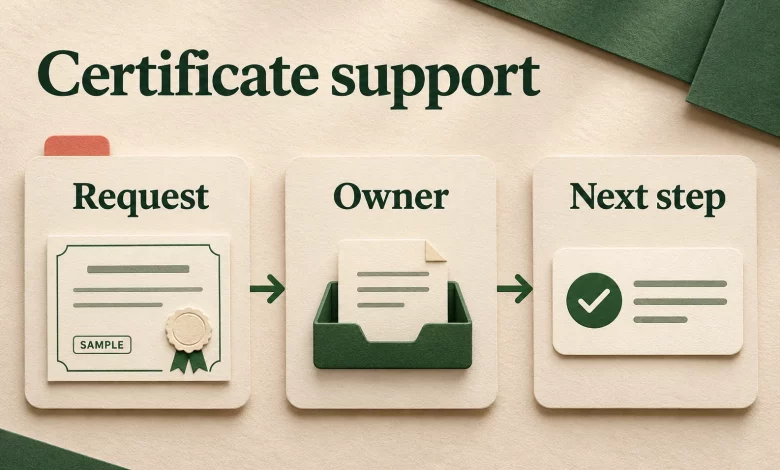
A certificate support request should leave the next person with a clear question, the right credential reference and a named owner. For training teams, the useful handoff is more specific than “please fix this certificate.” It explains what the recipient reported, what has been checked and which decision is still needed.
This guide provides suggested intake and reply templates for your existing support system. They are not a built-in Sertifier ticket workflow, an approval to change an award or a promise of response time.
Make the issuer contact easy to find
Sertifier’s recipient contact guide directs questions about missing credentials, incorrect names, changed details and email addresses to the issuing organization. It also states that Sertifier cannot edit or delete credentials on the organization’s behalf. On the credential viewing page, the Contact icon next to the issuer name leads to an email contact route.
Before a cohort receives its credentials, have the responsible team check that the published contact route reaches a monitored destination. Name a primary owner and a backup in your internal process. If a recipient has no credential link yet, give them a contact route in your course or event materials rather than assuming they can use the credential page.
Use a short certificate support intake template
Copy these fields into an approved private ticket or form. Keep unknown values marked unknown; do not ask a recipient to invent a credential number they have never received.
- What needs attention?
- Ask for a plain description: missing credential, incorrect displayed detail, inaccessible page or another issue. Record the recipient’s description separately from your diagnosis.
- Which program and credential?
- Course or event name, approximate completion date and credential link if available. Use the issuer’s internal record to resolve ambiguous matches.
- What did the recipient expect and observe?
- For example, “the course title is incorrect” or “the link opens an error page.” Include the exact visible error and observation time when relevant.
- What has already been tried?
- Record relevant checks and existing case references. A forwarded message is context, not proof that the sender is authorized to change the award.
- Who owns the next decision?
- Assign the program reviewer, credential operator or technical support owner. Specify the question they must answer and the next update date your team can meet.
Collect only what the case needs through your approved private channel. Do not request passwords or place a participant roster, identity documents or private correspondence on a public credential page. If a screenshot helps explain an error, ask for the relevant area with unrelated personal information removed.
Route the question before attempting a fix
An intake owner does not have to perform every correction. They do need to make the next handoff actionable:
- Eligibility or award details: ask the program owner to decide what the record should say before an operator edits it.
- Name spelling: use the existing name-correction checklist for review and scope.
- Wrong recipient: follow the separate wrong-person review process; do not turn it into a spelling edit.
- Missing notification: use the delivery investigation guide to distinguish the issued record from its email notification.
- Technical page failure: give the technical owner the affected link, observed behavior, time and relevant checks. Keep any unresolved eligibility question with the program owner.
For a new batch that has not been issued, use a certificate issuance brief instead. A recipient support case should not quietly become a request to send a new cohort.
Reply templates for the handoff
The bracketed fields below are placeholders for your team to replace, not Sertifier automation syntax.
Acknowledge without promising a correction
Thanks for contacting [issuer team] about [program or credential]. We have recorded your report that [observed issue]. [Owner or team] will review [specific question]. We will send the next update by [date and time zone agreed by your team]. Please reply in this case if you have additional information; do not send passwords.
Ask an internal owner for a decision
Case: [reference]. The recipient reports [issue]. We matched the request to [private record reference] and checked [checks and results]. Please confirm [specific decision needed]. No credential change has been made. The next recipient update is due [date and time zone]. Please return the decision and its approved scope in this case.
Explain what was resolved
We completed [approved action] for [credential reference] and checked [observed result] on [date]. Please use [current credential link or approved access instructions]. [Any remaining issue] is still being reviewed by [owner]; the next update is [date and time zone].
Use the last template only after the action and check happened. If the recipient can now access a credential but the original email outcome is unknown, say so instead of closing both questions as resolved.
Keep ownership visible until the case is closed
Consider a fictional example: Sample A reports an incorrect course title. The intake coordinator finds the affected credential but has no authority to decide the correct award wording. They send the program owner the current title, the source record reference and one explicit question about the approved title. The operator waits for that decision rather than guessing from a similar course.
When the decision returns, the operator follows the supported editing process and records the result. The intake owner checks that the reply addresses the original request, identifies any open issue and points to the current credential. Reassigning a ticket alone is not a completed resolution.
If you are setting up an issuing process, create a Sertifier account and prepare a sample credential with fictional data. Include the issuer contact route and a practice support handoff in your review before using your approved live cohort.