Supporting documents for digital credentials: a link review checklist
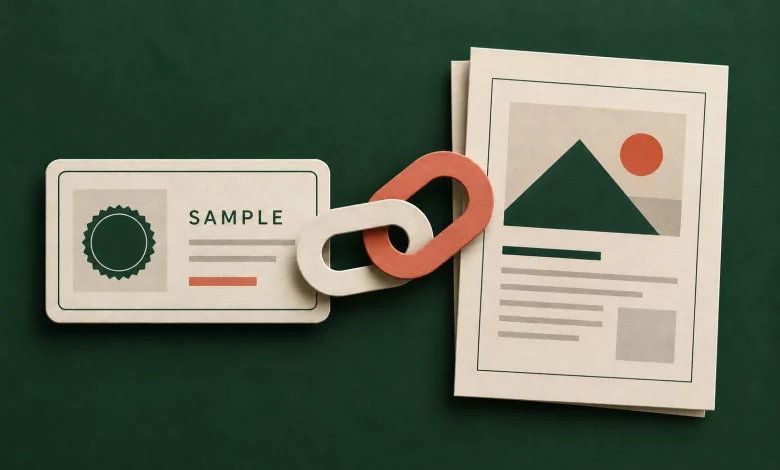
Supporting documents give a credential’s reader a way to inspect the work behind an achievement. In Sertifier, the optional Supporting Documents field accepts links to additional material, such as project work or portfolios. It is described in the credential details guide. Treat the destination as part of the reader experience: a correct link can still lead to the wrong version, a permission request or material that was never approved for sharing.
This guide offers a suggested review process for training teams preparing those links. It does not assume that adding a URL changes the destination’s permissions or makes a document suitable for public distribution.
Choose a document that explains the award
Start with the credential’s claim. What should a reviewer learn from opening the supporting material? For a project-based course, a short approved work sample may explain the achievement better than a folder of unrelated coursework. For a participation award, a program outline may provide context, but it should not be presented as proof of an assessed skill.
Keep the purpose narrow. A useful link answers a specific question, such as what was produced or which criteria were applied. If your team is still deciding what evidence a skill claim needs, begin with the skill badge evidence guide. The checklist below starts after that decision, when you are preparing the actual destination.
Prepare a shareable version
Ask the document owner to approve the version intended for credential readers. Keep internal notes, unrelated participants’ details, client information and private feedback out of the shared copy. Follow your organization’s review process before exposing any material; do not solve a permission problem by making an entire internal folder public.
Use a title that explains the document’s role. “Sample project summary” is more useful than “Final-final-v3.” Include enough context for someone who did not attend the course to understand what the work represents. If it is only an excerpt, say so in the document.
Choose a stable destination your team can maintain. Record who owns it and which approved version it should show. A credential link should not silently become a pointer to a different participant’s work when someone reuses a file or reorganizes a folder.
Test access as the intended reader
Open the exact destination in a separate signed-out browser session before adding it to a credential. Your own working session may already have permission, so a successful click there does not establish what an outside reader can see.
- If the document should be public: confirm that the approved copy opens without a staff login and does not expose adjacent private files.
- If access should be restricted: verify the intended access process with an approved test account. Explain the restriction instead of promising immediate public access.
- If the URL redirects: check the final destination and document identity, not just the first page’s title.
- If it downloads a file: inspect that downloaded version. Check its filename, readable content and any information that should have been removed.
Also try the destination on a phone. Check whether the document can be read and whether its navigation or download control works. Record an access failure as an unresolved issue; a link that works only for its owner is not ready for an unrestricted audience.
A fictional link review example
The following example uses synthetic material. A training team wants to link a project summary from a sample credential. It has an internal assessment folder and an approved summary prepared for outside readers.
Internal review folder
Contains working drafts and assessor notes. Keep it in the team’s existing restricted workspace.
Approved sample summary
Contains the work excerpt and an explanation of the relevant task. Review this exact version for sharing.
Credential link
Points to the approved summary. Test it as an outside reader and record the destination owner.
The decision is about which document a reader should receive, not merely whether a URL is technically valid. Keep the internal folder outside the credential’s supporting links.
Add the link and review the credential
Sertifier lists Supporting Documents among the optional credential details. After entering the approved link, inspect the resulting credential page and follow the link from there. Compare the destination with the version your reviewer approved. The documentation describes linked supporting material; do not assume it uploads the file, copies it into Sertifier or overrides the external host’s access rules.
Before sending a real cohort, use synthetic records to check the complete experience. Confirm the credential title, earning criteria and supporting material tell a consistent story. If the same details are used across a campaign, verify that the material is appropriate for every intended recipient rather than assuming a participant-specific document will be mapped automatically.
Keep a small maintenance record
For each supporting destination, record its owner, approved purpose, version, intended audience and last successful access check. Review it again when the document moves, its permissions change or the credential program changes.
If a link stops working, first determine whether the URL changed, the document was removed or access became restricted. Prepare and approve the correction before changing issued credential details. Test the resulting credential page again and record what a reader can actually access.
Questions to settle before sending
Does a supporting link make the document public?
Do not assume that it does. Inspect the destination’s sharing settings and test the intended reader’s access. Adding a link is not a substitute for a sharing decision.
Should every credential include supporting documents?
Use them when they explain the achievement or provide relevant evidence. Leave out material that adds no useful context or has not been approved for the intended audience.
Can I use a single document for a whole cohort?
A shared program outline may be appropriate; an individual work sample needs a different review. Decide what the document represents before reusing its link across credentials.
Prepare your next credential with a complete reader journey
Create a Sertifier workspace and prepare a sample credential with approved supporting material. Review the credential and its destination together before sending the real awards.