Badging Meaning in Credentialing: What Digital Badges Are (and How to Verify Them)
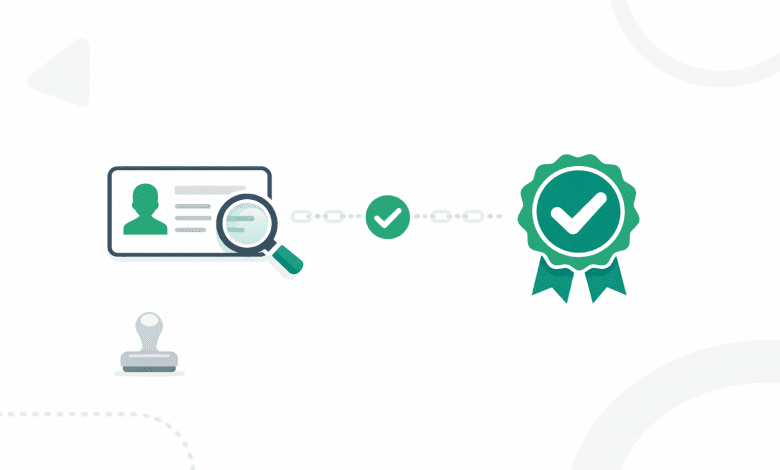
Badging meaning has shifted from “a symbol of participation” to a verifiable digital credential that can carry issuer identity, criteria, evidence, and validity details. For US employers, educators, and associations, the practical question isn’t what a badge looks like—it’s whether you can trust and verify what it represents.
This guide explains digital badges in the context of credentials, how they differ from certificates, and what to check when you’re verifying a badge for hiring, promotion, admissions, or compliance.
Key takeaways
- Badging meaning (in credentialing): a digital badge is a portable credential with embedded verification data, not just an image.
- Verification matters: a badge should clearly show the issuer, criteria, evidence (when appropriate), dates, and revocation status.
- Badges vs. certificates: both can be credentials; badges often emphasize skills and granular achievements, while certificates may summarize broader completion.
- Verifiers need a checklist: inconsistent issuer identity, missing criteria, and broken evidence links are common failure modes.
Badging meaning: the definition in the context of digital credentials
In digital credentialing, badging meaning refers to a digital badge: a credential that represents an achievement, skill, or verification outcome and includes information that helps others validate it. A badge is not just a graphic; it’s a credential with associated data (often called metadata) that can support verification.
In practice, a digital badge is used to:
- Recognize learning, skills, or participation (from a course, assessment, event, or program).
- Document what was required to earn it (criteria and, sometimes, evidence).
- Verify who issued it and whether it’s still valid (important for HR/L&D, educators, and professional associations).
Many badge programs align to the Open Badges standard, which is designed to make credentials more portable and verifiable across platforms. If you need the standard reference, see the official documentation from 1EdTech (IMS) Open Badges specification.
Digital badges vs. certificates: what’s different (and why it matters to verifiers)
Digital badges and digital certificates can both be credentials. The difference is usually about how the credential is packaged, what it communicates, and how easy it is to verify in real workflows.
| Dimension | Digital badge | Digital certificate | Why verifiers care |
|---|---|---|---|
| Typical scope | Granular skill, competency, or milestone | Course/program completion or formal recognition | Helps you interpret what was actually assessed vs. completed |
| Proof structure | Often includes criteria and may include evidence links | Often includes summary details and issuer attestation | Criteria/evidence makes it easier to validate skill claims |
| Portability | Designed to be shared and verified across contexts | Often shared as a PDF/link; verification varies by issuer | Verification friction impacts hiring, admissions, and audits |
| Validity controls | May support expirations and revocation status | May also support expirations and revocation, depending on system | You need to confirm “still valid” for regulated or time-bound skills |
| Best use cases | Skills verification, micro-credentials, stackable learning | Completion credentials, awards, formal recognition | Reduces mismatch between what the credential signals and what you need |
If you’re building a program, it helps to treat badges and certificates as complementary formats within a single credential strategy. For verifiers, the key is consistent verification access regardless of format.
What a verifier should check (issuer, criteria, evidence, dates, revocation)
If you’re an employer, educator, or association verifying a credential, focus on fields that answer two questions: who issued it, and what exactly was earned—plus whether it’s still valid.
- Issuer identity: The issuer should be clearly named and traceable to an organization-controlled domain or verification page.
- Recipient identity: The credential should be linked to the intended earner (how this is displayed varies; the key is that it’s issuer-verifiable).
- Criteria: A plain-language description of requirements (assessment, attendance, project, rubric, exam, etc.).
- Evidence (when appropriate): Work samples, score reports, rubric outcomes, or completion artifacts; evidence may be private or permissioned in some contexts.
- Issue date and (if applicable) expiration: Needed for time-bound skills, continuing education, and compliance.
- Revocation/status: A way to confirm whether the credential is active, expired, or revoked, and what that means for use.
In many HR and academic workflows, this information needs to be auditable. That means verification should be repeatable later (not just “I saw a screenshot once”).
Asset: Digital Badge Verification Field Guide (one-page table)
Use the table below as a quick, repeatable checklist for reviewing a digital badge (or similar credential) during hiring, admissions, partnership review, or compliance checks.
| Field to check | What “good” looks like | Red flags | Verifier action |
|---|---|---|---|
| Issuer | Clear org name; verification page ties to org-controlled domain | Issuer name doesn’t match domain; generic email-only identity | Confirm issuer domain; request official issuer contact if unclear |
| Credential title | Specific skill/achievement name (not vague) | Overly broad claims with no scope | Ask for criteria or program description |
| Criteria | Readable requirements; assessment method is described | Missing criteria or “completed training” with no detail | Ask issuer for criteria URL or policy statement |
| Evidence | Evidence is present or intentionally restricted; access rules are clear | Broken evidence links; evidence doesn’t match criteria | Request re-shared evidence or issuer confirmation |
| Dates | Issue date present; expiration present if relevant | No dates for time-bound credentials | Confirm validity period and renewal path |
| Status / revocation | Status is visible (active/expired/revoked) and consistent | No status; status can’t be checked without screenshots | Use official verification view; keep a verification record |
| Share link / verification view | Stable link that loads a verification page | Link shorteners; redirects to unrelated pages | Navigate from issuer site or directory when possible |
Verification signals to look for (issuer identity, metadata, evidence links)
- Issuer-controlled verification: The credential resolves to an official verification view hosted/controlled by the issuer or their credentialing platform.
- Consistent issuer identity: Org name, domain, and contact paths match what you’d expect from the issuing body.
- Clear criteria statement: Requirements are specific enough to interpret (not marketing language).
- Evidence that supports the claim: Links or attachments that align with criteria; access boundaries are explained when private.
- Credential metadata that is stable: Key fields (title, dates, criteria) remain accessible over time via the verification view.
Common failure modes (broken links, spoofed issuers, missing criteria)
- Broken verification or evidence links: The credential can’t be validated later, creating audit risk.
- Spoofed issuer identity: The credential displays a recognizable name, but the verification path doesn’t tie back to an official domain.
- Missing criteria: The badge exists, but you can’t tell what was required to earn it.
- Unclear status: No visible way to confirm if the credential is still active or was revoked.
- Screenshot-only proofs: Images without a verification view force manual validation and increase fraud risk.
Decision checklist
- Can I verify issuer identity from the credential? (Org name + domain-backed verification view.)
- Can I understand what was earned? (Criteria that describes the assessment or requirements.)
- Can I confirm it’s current? (Issue/expiration dates and a clear status indicator.)
- Is there supporting evidence where needed? (And is access handled appropriately for privacy?)
- Is verification repeatable later? (Stable link, not a one-time screenshot.)
How to set up a badge program that’s easy to verify
If you issue badges (as an educator, association, or certifier), verification is part of the product. A badge that’s hard to verify creates support tickets, slows hiring/admissions decisions, and reduces trust in the credential.
Stakeholders to design for:
- Issuing team (L&D, education ops, certification team): needs scalable issuance, consistent naming, and clear criteria templates.
- Earners: need easy sharing and a clear explanation of what the badge represents.
- Verifiers (HR, hiring managers, registrars, membership teams): need a fast, repeatable verification view and clear status.
- Security/IT and legal: need controls for access, privacy, retention, and revocation processes.
Design principles that reduce verification friction:
- Standardize criteria: Use a consistent format that states prerequisites, assessment method, and passing rules (when applicable).
- Make issuer identity obvious: Ensure the badge verification view ties back to an organization-controlled domain and recognizable contact path.
- Separate “marketing” from “verification”: The verification view should be factual: criteria, dates, status, and evidence.
- Plan revocation and updates: Define when a credential is revoked, how it’s displayed, and how verifiers can confirm the change.
- Handle evidence with privacy in mind: Provide evidence where appropriate, and use permissioning when evidence includes sensitive information.
Within Sertifier’s platform approach, the goal is to manage credentials in a way that supports issuance and verification workflows without relying on manual back-and-forth.
Related reading within this topic cluster: digital credentials overview and what a digital certificate is.
Implementation steps (for HR/L&D teams, educators, and associations)
- Decide what the badge represents: skill, competency, completion, membership status, or certification outcome.
- Define criteria in verifier-friendly language: state requirements and assessment method; avoid vague outcomes.
- Choose what evidence is appropriate: determine what can be public vs. permissioned based on privacy and policy.
- Set validity rules: decide on expiration (if relevant), renewal paths, and revocation conditions.
- Standardize naming and taxonomy: make it easy to compare badges across programs and cohorts.
- Test verification like a third party: open the verification view without admin access; confirm issuer identity, criteria, dates, and status are clear.
- Document your verifier workflow: publish a short “how to verify” note and an issuer contact path for edge cases.
Common questions about badges (for US employers and educators)
- What is the badging meaning in HR and hiring?
In hiring, a digital badge is a credential used to communicate a verified skill or achievement with enough detail for a third party to validate the claim. - Are digital badges the same as certifications?
Not always. A badge can represent a certification outcome, but it can also represent smaller achievements (micro-credentials), course milestones, or skill validations. The criteria and issuer determine what it means. - How do I verify a digital badge?
Use the official verification view to confirm issuer identity, criteria, evidence (if provided), dates, and revocation/status. Avoid relying on screenshots. - What should I do if a badge link is broken?
Ask the earner to re-share from the issuing platform, or contact the issuer through an official channel. If verification can’t be re-established, treat the credential as unverified. - What is a certifier in digital credentialing?
A certifier is the organization or body that assesses and attests that a person met defined requirements. In digital credentialing, the certifier typically acts as the issuer and must support verification of the credential’s authenticity and status. - Do badges work for continuing education or compliance?
They can, as long as the credential clearly shows criteria, issue/expiration dates, and status, and the verification view remains accessible for audits.
Conclusion: define badging meaning by how easy it is to verify
The most useful badging meaning for employers and educators is simple: a badge is a digital credential you can verify—quickly and repeatably—without chasing emails or trusting screenshots. When issuer identity, criteria, evidence, dates, and revocation status are clearly available, badges become easier to evaluate alongside other credentials.
If you’re creating or improving a program, prioritize verification clarity from day one. It reduces friction for verifiers and strengthens trust in the credential.
Learn how Open Badges support portable, verifiable credentials and explore credential verification best practices.
CTA
Stay current on digital credentials and verification. If you’re evaluating badges for hiring, education pathways, or member programs, small changes in criteria, metadata, and verification workflows can make a big difference in trust and operational load.
CTA: Newsletter