LMS certification: qualifications, course certificates and LMS-issued credentials
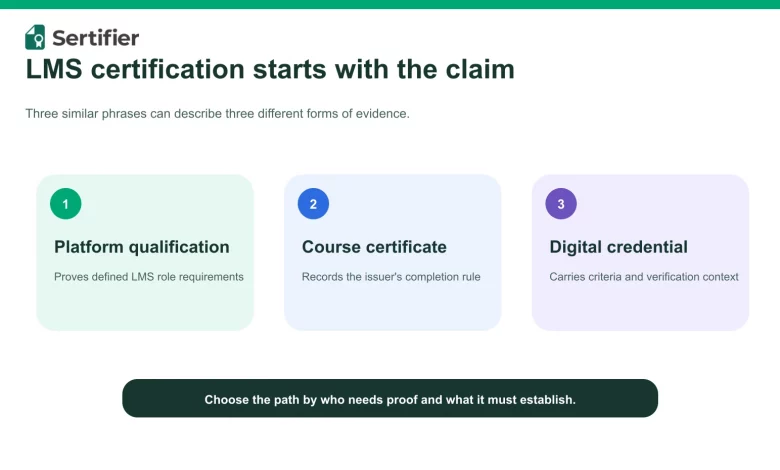
Short answer: LMS certification can mean a platform qualification, a course-completion certificate or a digital credential issued through an LMS workflow. Identify the intended proof before choosing a program or automation.
Direct answer
An LMS certification can mean three different things: a qualification that validates someone’s ability to use or administer a learning management system, a certificate awarded after completing a course inside an LMS, or a digital credential that an organization issues through an LMS integration. These are not interchangeable.
If you want to prove your own platform skills, choose an official qualification for your role and LMS. If you run a learning program, define the completion or assessment evidence first, then configure the LMS and credential platform to issue a certificate or badge that accurately describes that evidence.
What does LMS certification mean?
The phrase is ambiguous because it combines a learning system, a learning record and a professional qualification. The quickest way to find the right path is to identify who needs proof and what the proof should establish.
| Meaning | Who it serves | What it can establish | Example |
|---|---|---|---|
| LMS user or administrator qualification | Educators, instructional designers and LMS administrators | The holder met the named provider’s requirements for a defined platform role | Moodle Educator Qualification, Moodle Administrator Qualification or an Instructure Certified program |
| Course-completion certificate | A learner who completed a course or program | The learner met the issuer’s stated completion rules | A branded certificate issued after a course-completion trigger |
| Skills or achievement credential | A learner whose work was assessed against stated criteria | The issuer recognizes a specific achievement and records its criteria | A verifiable digital certificate or badge with an evidence-based description |
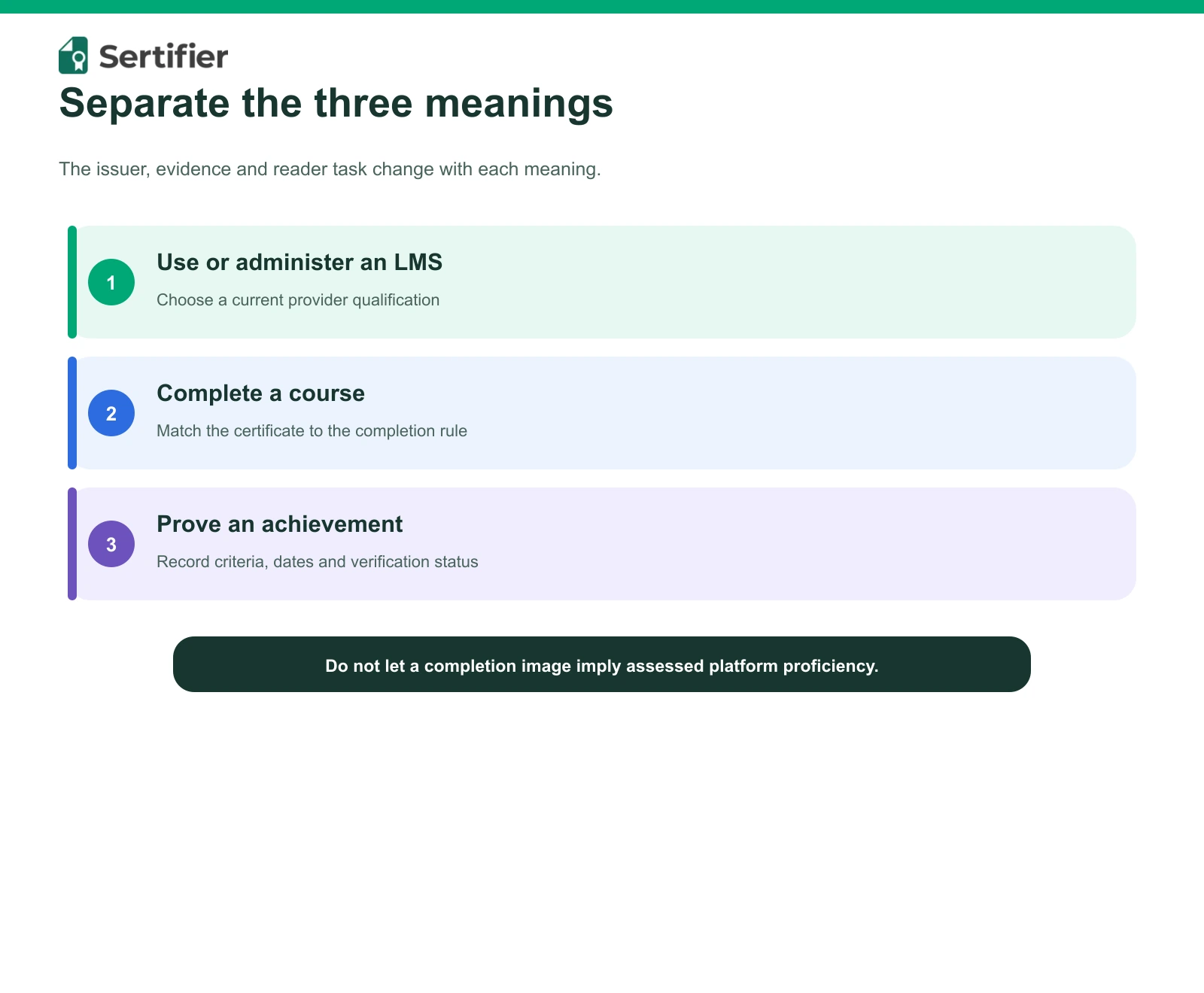
A completion certificate should not imply more than the underlying evidence. Watching every lesson, passing an assessment and demonstrating a skill in a project are different achievements. The title, description and criteria of the credential should make that distinction visible.
LMS qualification versus a certificate from an LMS
An LMS qualification is normally a provider-defined learning and assessment program about using that provider’s platform. A certificate from an LMS is an output of a course workflow. It may record attendance, completion, assessment or another rule chosen by the course owner.
This distinction matters for both candidates and program owners:
- A candidate should check the role, prerequisites, curriculum, assessment,
- A program owner should define the award criteria, approver, credential
- A verifier should be able to identify the issuer, recipient, achievement,
cost, renewal rules and issuer before enrolling in a qualification.
metadata and revocation or expiry policy before automating issuance.
issue date and current status without relying on an image alone.
Current examples of official LMS qualifications
The following examples were retained because their current provider pages were available on September 12, 2026. Program names, cohorts and commercial terms can change, so confirm the current official page before enrolling.
Moodle Qualifications
Moodle’s current qualifications page separates two roles. The Moodle Educator Qualification is for educators and learning professionals who use Moodle in teaching and training. Moodle says it contains six courses and is based on the European Framework for the Digital Competence of Educators. The Moodle Administrator Qualification is designed for experienced administrators who manage Moodle learning environments and is offered through Moodle’s Certified Partner network.
This role separation is useful. An educator pathway does not automatically prove the technical administration competencies required to operate and maintain an LMS.
Source: https://moodle.com/qualifications/
Instructure Certified Programs
Instructure’s current Certified Programs catalog distinguishes several Canvas roles, including Canvas Certified Power User, Canvas Certified Educator and Canvas Certified Technical Administrator. The catalog describes these as structured, cohort-based programs for educators, administrators and leaders.
Choose the program by the work you actually perform. A teaching-focused program and a technical-administration program represent different scopes even when both use Canvas.
Sources:
- https://community.instructure.com/en/categories/certified-programs
- https://www.canvas-certified.instructure.com/
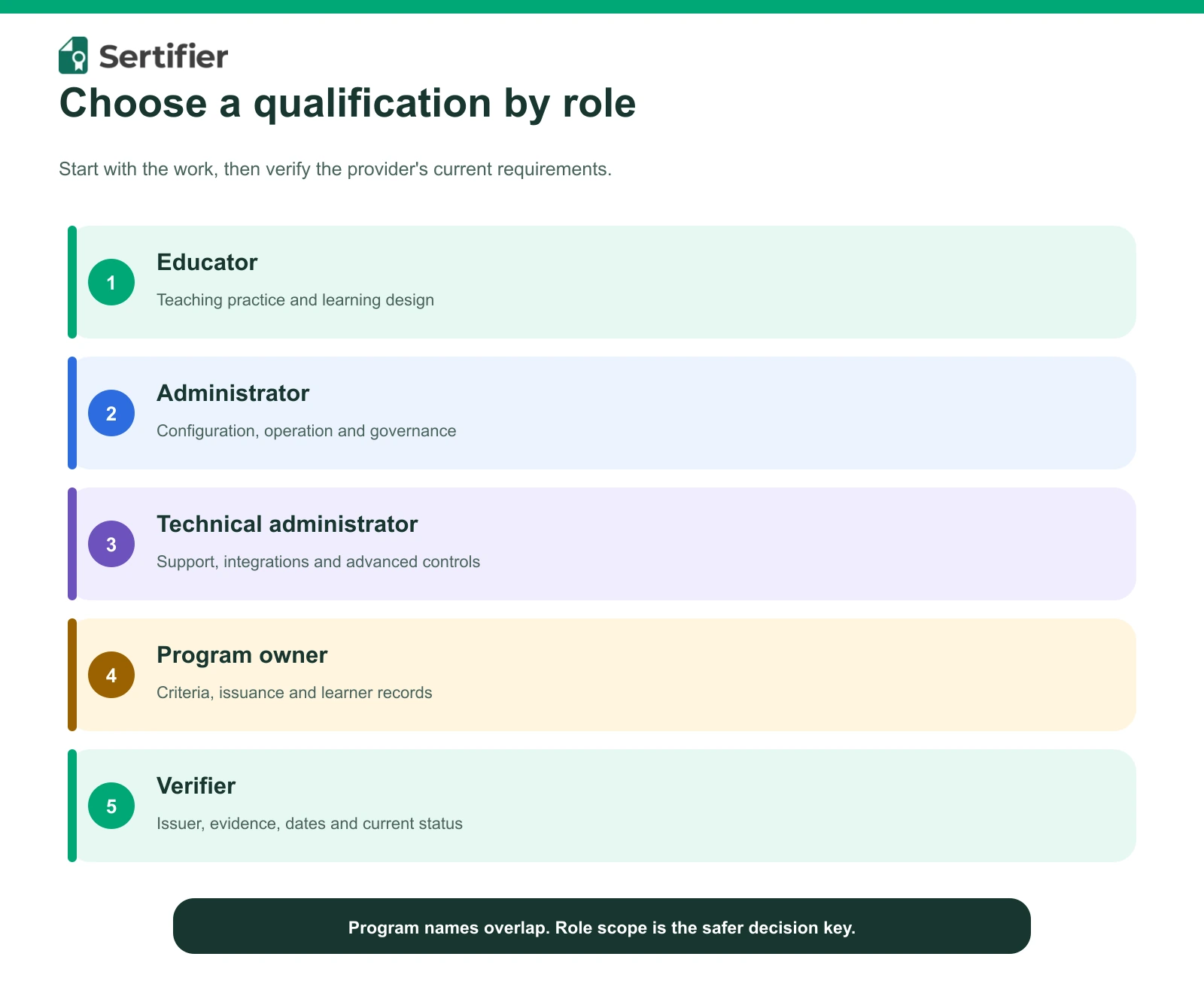
How to choose an LMS qualification
1. Start with the role you need to validate
Write down the job or responsibility the credential should support. Course design, teaching, reporting, technical administration, integrations and learner support require different evidence. Avoid selecting a program only because its title contains the name of your LMS.
2. Use the provider’s current program page
Confirm that the program is active and that the issuer is the platform provider or an explicitly authorized partner. Record the page and review date. Do not rely on an old comparison article for current pricing, duration, examination or renewal rules.
3. Inspect the completion requirements
Look for a visible curriculum and a clear explanation of what must be completed or assessed. If the public page does not establish an exam, proctoring rule, price or duration, treat that field as unknown and ask the provider.
4. Check how the result can be verified
Ask what the learner receives and how another person can validate it. A PDF, a digital badge and a live verification page offer different levels of context. Confirm whether the result includes an issuer, criteria, dates and a current status.
5. Plan for changes
Provider programs evolve. Keep the official source, fact-check date and any renewal or expiry rule with the record. Recheck those details before describing the qualification in a job requirement, procurement document or employee profile.
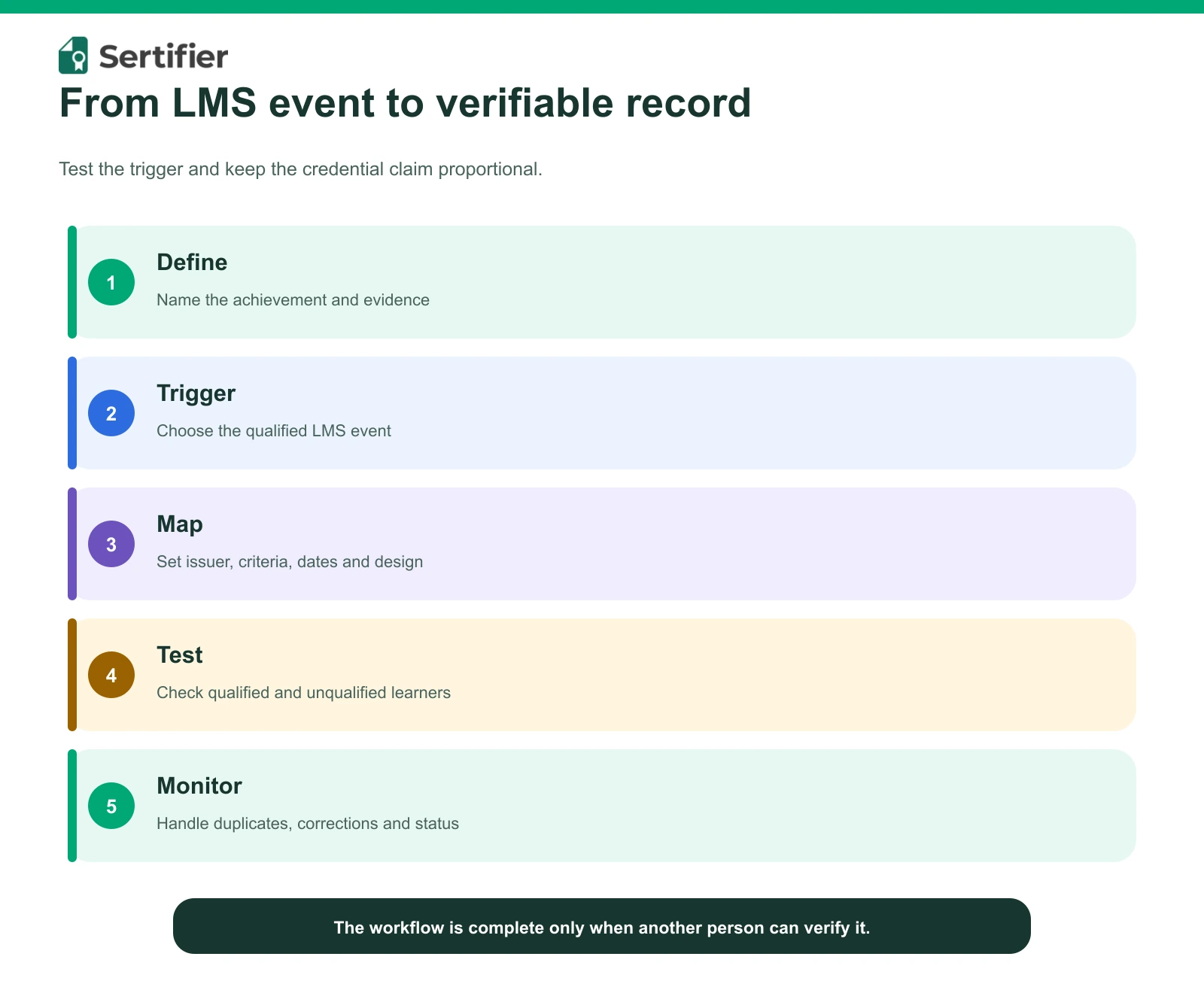
How organizations issue certificates through an LMS
An LMS manages learning activity. A credential platform can turn a qualified completion or assessment event into a designed, shareable and verifiable record. A defensible workflow has five parts:
- Define the achievement. State whether the award represents attendance,
- Set the trigger. Choose the LMS event or approved data condition that
- Map the credential. Configure its title, issuer, description, criteria,
- Test with a controlled learner. Confirm that qualified learners receive
- Monitor the record. Keep issuance history, handle corrections and define
course completion, assessment or demonstrated skill.
starts issuance.
dates, design and email.
one correct credential and unqualified learners receive none.
expiry or revocation only when the program requires it.
Sertifier’s current integrations directory lists LMS connections including Moodle, Canvas, Thinkific, Tutor LMS and Schoology, plus API and automation options. Its current Canvas help guide documents a workflow for connecting a course, selecting a design, credential detail and email template, and activating automated issuance. Integration behavior varies by LMS, so use the current help guide for the selected platform.
Sources:
- https://sertifier.com/integrations
- https://help.sertifier.com/integrations
- https://help.sertifier.com/sertifier-and-canvas-integration
What an LMS-issued credential should contain
Before publishing a certificate or badge, check that a recipient and verifier can understand:
- who issued it;
- who earned it;
- what achievement it represents;
- what criteria or evidence supported the award;
- when it was issued and, if relevant, when it expires;
- how its current status can be verified.
Design matters, but the credential is not just an image. The supporting record should provide the context needed to interpret the claim.
LMS certification checklist
For an individual choosing a qualification
- [ ] The program matches my educator, administrator or technical role.
- [ ] The program is listed on a current official provider page.
- [ ] The curriculum and completion requirements are clear.
- [ ] I verified current price, schedule and renewal terms with the provider.
- [ ] I know what credential I receive and how it can be verified.
For an organization issuing credentials through an LMS
- [ ] The credential describes the actual completion or assessment rule.
- [ ] The trigger and recipient mapping have been tested.
- [ ] The issuer, criteria, dates and verification route are present.
- [ ] Corrections, duplicate prevention and revocation have owners.
- [ ] The workflow is monitored after launch.
Build an LMS credential workflow
Connect a tested LMS completion or assessment rule to a credential whose issuer, criteria and verification route are clear.
Frequently asked questions
Is an LMS certificate the same as an LMS administrator certification?
No. An LMS certificate may simply record completion of a course delivered in a learning system. An administrator qualification is a provider-defined program about operating or managing that system. Read the issuer’s criteria to know which claim the credential supports.
How do I get an LMS certification?
Choose the LMS and role you need to validate, find the provider’s current official qualification page, check its entry and completion requirements, then complete the required learning and assessment. Do not assume that requirements from one provider apply to another.
Are there free LMS certification courses?
Some providers offer free learning resources, but free learning does not automatically include a qualification. Check the current official program page for price and credential terms. If the page does not state them, ask the provider instead of relying on an old price in a third-party article.
Can an LMS automatically issue course certificates?
Yes, when the LMS and credential workflow support a defined completion or assessment trigger. Test the rule, recipient mapping and credential content before enabling it for a live cohort.
Build an LMS credential workflow
If your goal is to issue certificates or badges after a course, start with Sertifier’s current LMS and software integrations. For a program-specific rollout, request a demo.